
SEO-friendly website design means planning your site’s structure, speed, mobile experience, content and technical setup so search engines can easily find, understand and rank it, while visitors enjoy using it. The essentials include a clear site structure, mobile-first responsive design, fast loading, proper headings and metadata, internal linking, optimised images, HTTPS, an XML sitemap and schema. Building SEO in from the start is far easier and cheaper than fixing it later.
A beautiful website that nobody can find doesn’t help your business. Many companies invest heavily in design, only to discover after launch that their new site is slow, hard for Google to understand or has lost the rankings their old site had.
The solution is to treat SEO and website design as one project, not two. This guide explains why SEO matters in website design, the key elements of an SEO-friendly website, 10 best practices and the most common mistakes to avoid.
Why SEO Matters in Website Design
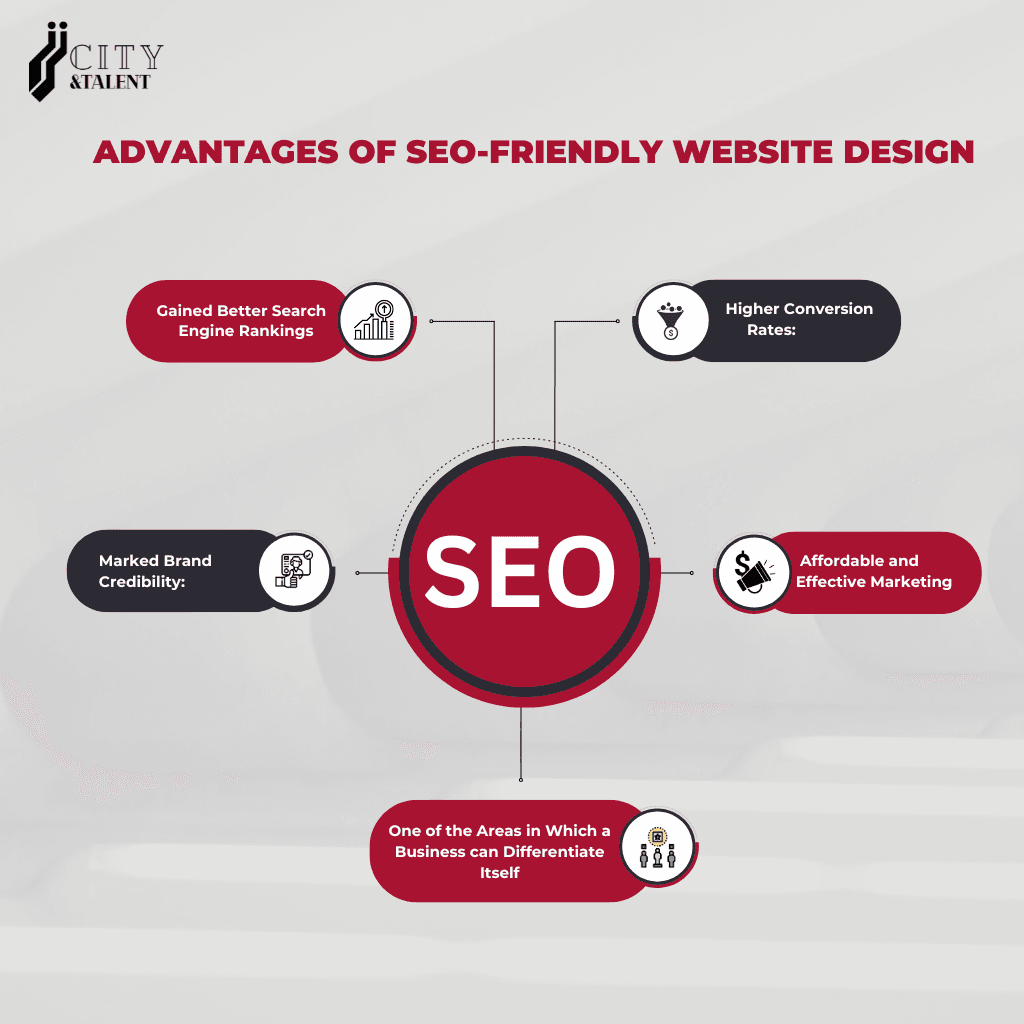
- Better rankings: a site built with SEO in mind meets the technical requirements search engines look for, making it easier to rank.
- Higher conversions: the same things that help SEO, such as speed, clear navigation and helpful content, also help visitors take action.
- Stronger credibility: a fast, well-structured, professional site builds trust with both visitors and search engines.
- Lower long-term costs: organic traffic keeps coming without paying for every click, and building SEO in from the start avoids costly fixes later.
- A competitive edge: in crowded markets such as Mumbai, a well-optimised site helps you stand out from competitors with slower, harder-to-find websites.
Key Elements of SEO-Friendly Website Design
- Site architecture: a logical page hierarchy and clean URLs
- Mobile-first responsive design: a great experience on every screen size
- Speed and Core Web Vitals: fast loading and smooth interaction
- Navigation: clear menus and internal links that help users and crawlers
- Content structure: pages planned around what customers search for
- Technical foundations: HTTPS, XML sitemap, robots.txt and structured data
- Accessibility: a site everyone can use, which also supports good SEO
10 Best Practices for SEO-Friendly Website Design
1. Plan Your Site Structure Before Designing
Map out your pages before anyone website designs a layout. Group related content logically, for example Home, Services, individual service pages, Case Studies, Blog and Contact, and keep important pages within a few clicks of the homepage. Use short, descriptive URLs such as /services/website-development/.
2. Design Mobile-First
Google uses the mobile version of your site for indexing and ranking, and most visitors browse on their phones. Design for small screens first, with readable text, easy-to-tap buttons and the same content as the desktop version.
3. Build for Speed and Core Web Vitals
Page speed affects both rankings and conversions. Aim for good Core Web Vitals:
- LCP (loading): under 2.5 seconds
- INP (responsiveness): under 200 milliseconds
- CLS (visual stability): under 0.1
Choose quality hosting, a lightweight theme or framework, compressed images, caching and a content delivery network.
4. Use a Clear Heading Structure
Use one H1 per page that describes its main topic, then H2s for main sections and H3s for subsections. A clear heading hierarchy helps search engines understand your content and makes pages easier to scan.
5. Write Unique Titles and Meta Descriptions
- Title tag: around 50 to 60 characters, with your main keyword near the start
- Meta description: around 150 to 160 characters, summarising the page and encouraging clicks
- Make every page’s title and description unique
The meta keywords tag is ignored by Google, so there’s no need to use it.
6. Plan Navigation and Internal Linking
Clear menus, breadcrumbs and contextual links help visitors find what they need and help search engines discover and understand your pages. Use descriptive anchor text, such as “website development services,” instead of “click here.”
7. Map Content and Keywords to Every Page
Give each important page a clear purpose and target keyword, based on how your customers search. Avoid having several pages target the same keyword, since they’ll compete with each other. Write naturally for readers. Google doesn’t reward a specific keyword density or word count, but it does reward content that fully answers the searcher’s question.
8. Optimise Images
- Use descriptive file names, such as
seo-friendly-website-design.webp - Add alt text that describes what the image shows
- Compress images and use modern formats such as WebP or AVIF
- Set image dimensions to prevent layout shifts
9. Get the Technical Setup Right
- HTTPS across the whole site
- XML sitemap submitted to Google Search Console
- Robots.txt that doesn’t block important pages
- Canonical tags to handle duplicate or similar pages
- Schema markup, such as Organization, LocalBusiness, Article and FAQ, to help search engines understand your content
10. Design for Accessibility and Conversions
Good contrast, readable fonts, descriptive links and keyboard-friendly navigation make your site usable for everyone and support SEO. Clear calls to action, simple forms and trust signals, such as reviews and contact details, turn visitors into customers.
Redesigning Your Website? Protect Your Rankings
A redesign is one of the riskiest moments for SEO. Before launching a new site:
- Audit your current site to identify pages that bring traffic and backlinks
- Keep URLs the same where possible
- Set up 301 redirects from every old URL to its new equivalent
- Carry over titles, meta descriptions and valuable content
- Test the staging site for speed, mobile experience and broken links
- Remove “noindex” settings from the staging site before going live
- Submit the new XML sitemap and monitor Google Search Console closely after launch
Common SEO Mistakes in Website Design
- Content hidden behind heavy JavaScript: some crawlers struggle to read content that only loads through scripts, and heavy scripts slow pages down
- Poor mobile experience: layouts that break on phones hurt both users and rankings
- Slow loading: oversized images, too many plugins and poor hosting drive visitors away
- Thin or duplicate content: copied or very short pages add little value
- Missing alt text and generic image names
- No redirects after a redesign, which can wipe out years of rankings overnight
- Leaving the site set to “noindex” after launch
- Design over clarity: beautiful layouts that make it hard to find key information or take action
Avoid these, and you’ll protect your rankings, improve user experience and increase conversions.
Keep Your Website Healthy After Launch
- Run regular SEO audits
- Monitor speed and Core Web Vitals in Google Search Console
- Update content as your business changes
- Stay up to date with Google’s guidelines and SEO trends
Frequently Asked Questions
Why is SEO important in website design?
SEO determines whether people can find your website in search. Building SEO into the design ensures your site is fast, mobile-friendly, well-structured and easy for search engines to understand, which leads to better rankings, more traffic and more conversions.
Should SEO be considered before designing a website?
Yes. Planning SEO before design, including site structure, URLs, content and technical setup, is far easier and cheaper than fixing problems after launch. It also prevents losing rankings when replacing an existing site.
Does a website redesign affect SEO?
It can, positively or negatively. A redesign with proper 301 redirects, preserved content and improved speed can boost rankings. A redesign that changes URLs without redirects or removes valuable content can cause major traffic losses.
What makes a website SEO-friendly?
An SEO-friendly website design has a clear structure, clean URLs, mobile-first design, fast loading, unique titles and meta descriptions, proper headings, internal links, optimised images, HTTPS, an XML sitemap and helpful content that matches what people search for.
Does page speed affect SEO?
Yes. Page speed is part of Google’s page experience signals, measured through Core Web Vitals. More importantly, slow sites lose visitors and conversions, so speed matters for both rankings and revenue.
Conclusion
SEO plays a central role in website design. A site that’s fast, mobile-friendly, well-structured and full of helpful content ranks better, earns more trust and converts more visitors. Building SEO in from the start is far more effective than adding it later.
If you’re planning a new website or a redesign, work with a team that combines website design and SEO expertise, so your site looks great and performs well in search. And if you’re comparing partners, our guide to choosing the best SEO agency in Mumbai can help.
Build an SEO-Friendly Website With City & Talent
City & Talent combines creative website design, website development and SEO in one team, with offices in Mumbai, Delhi and Dubai. Our “non-agency” approach brings together designers, developers and marketers to build websites that look exceptional and perform in search.
If you’re looking for a website design agency in Mumbai, or the best SEO company in Mumbai to make your website work harder, get in touch with our team.